How to delete the useless old profile teams?
2026-01-22
1. Log in to the official website below:
https://account.adobe.com/profile
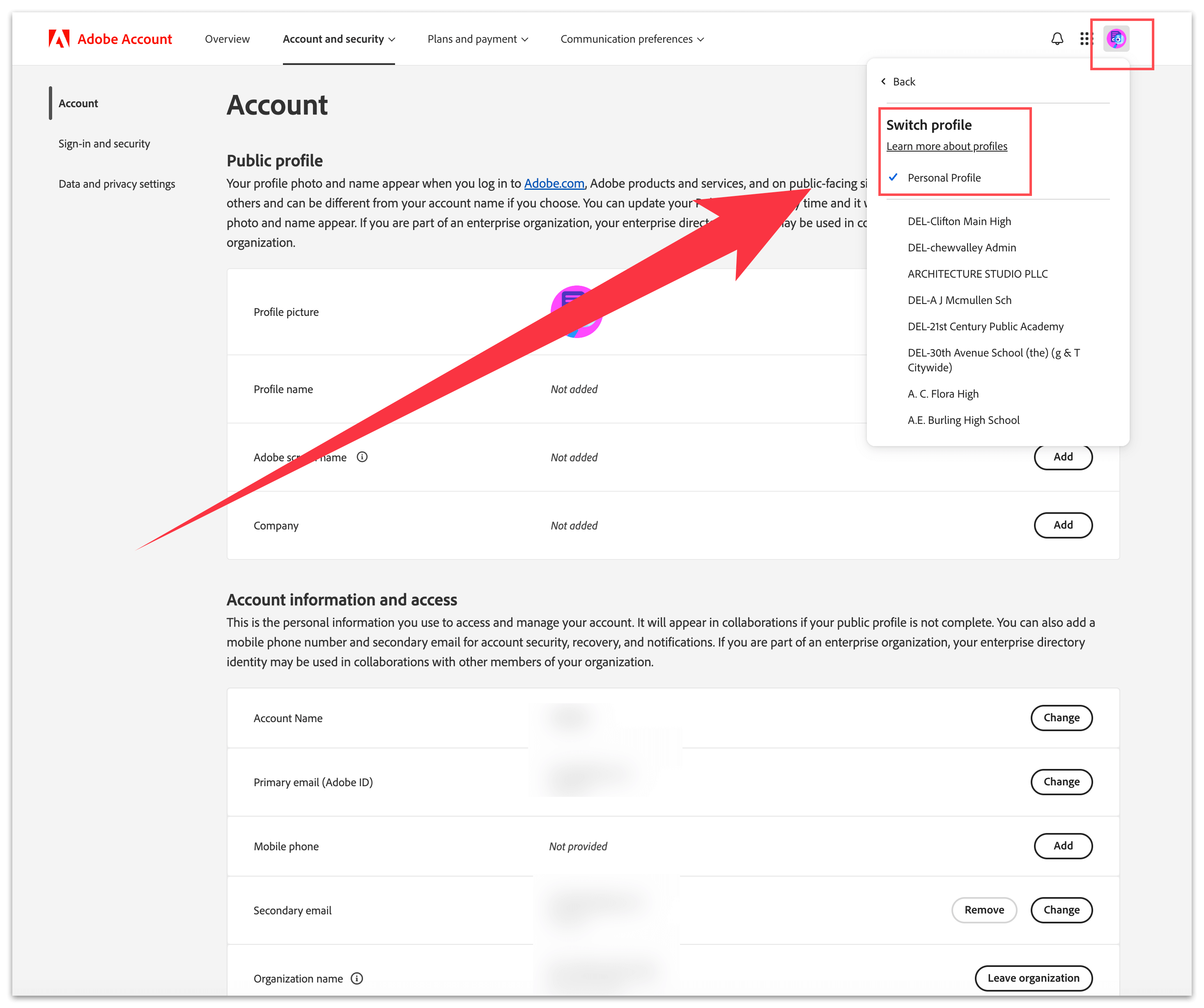
2. Switch to "Personal Profile".

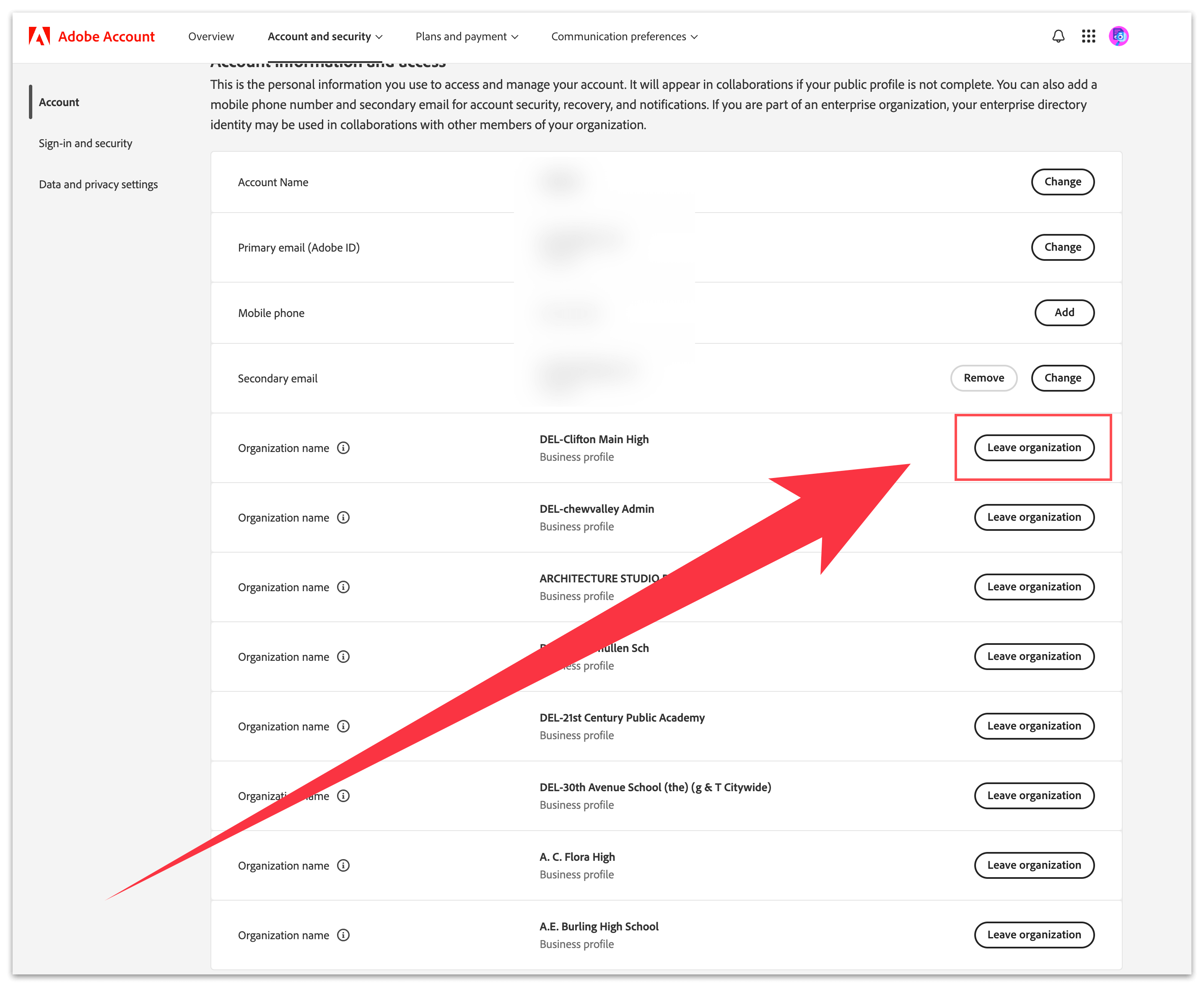
3. Scroll down slightly, locate "Account information and access" on the page, click "Leave organization" under Organization name to delete.
Note: Incase if you have any files in the profile, you must take backup. Once you have left the organization, you would lose all access to that organization.

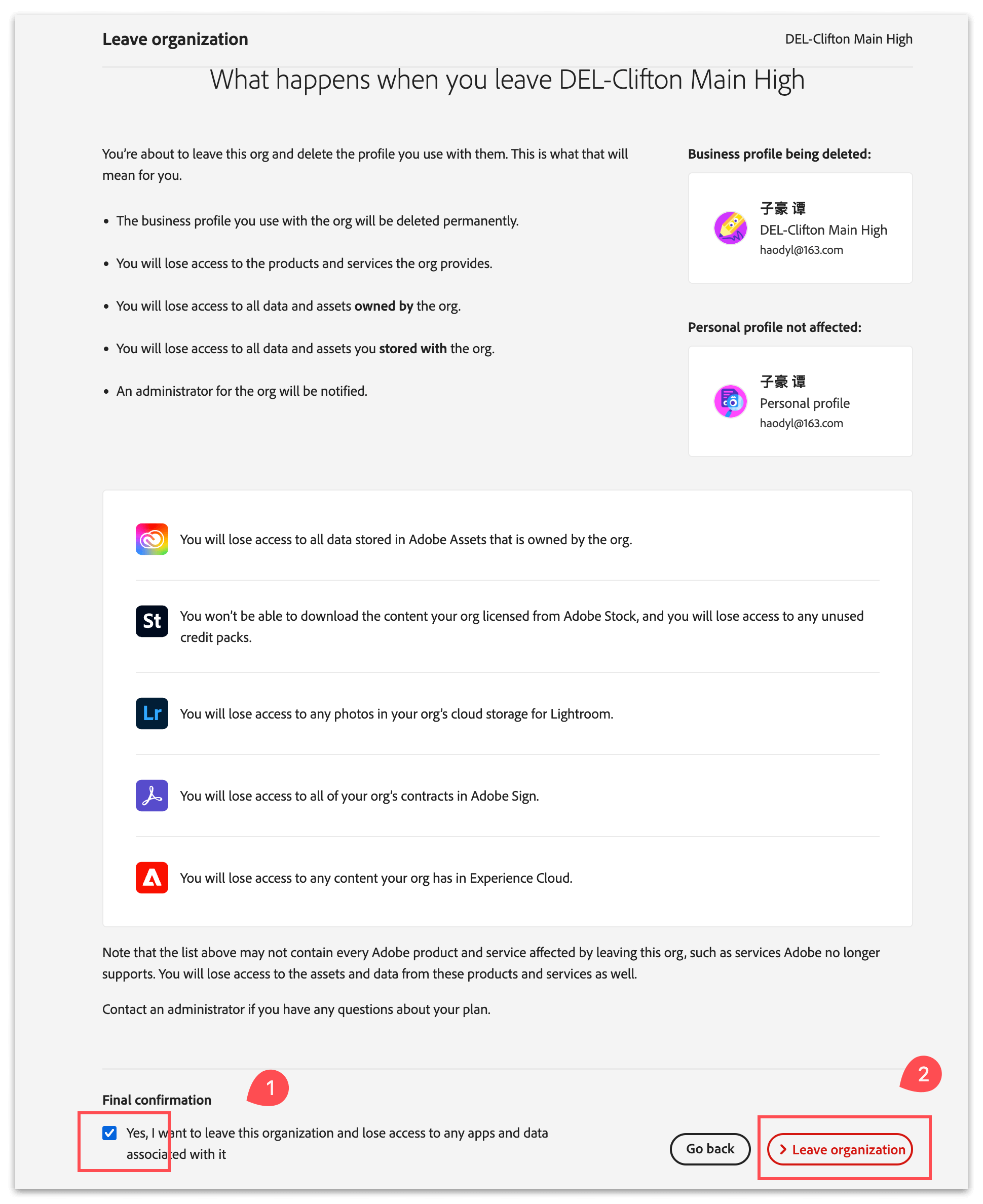
4. Scroll to the bottom, check the box for "Yes, I want to leave this organization and lose access to any apps and data associated with it", then click "› Leave organization".

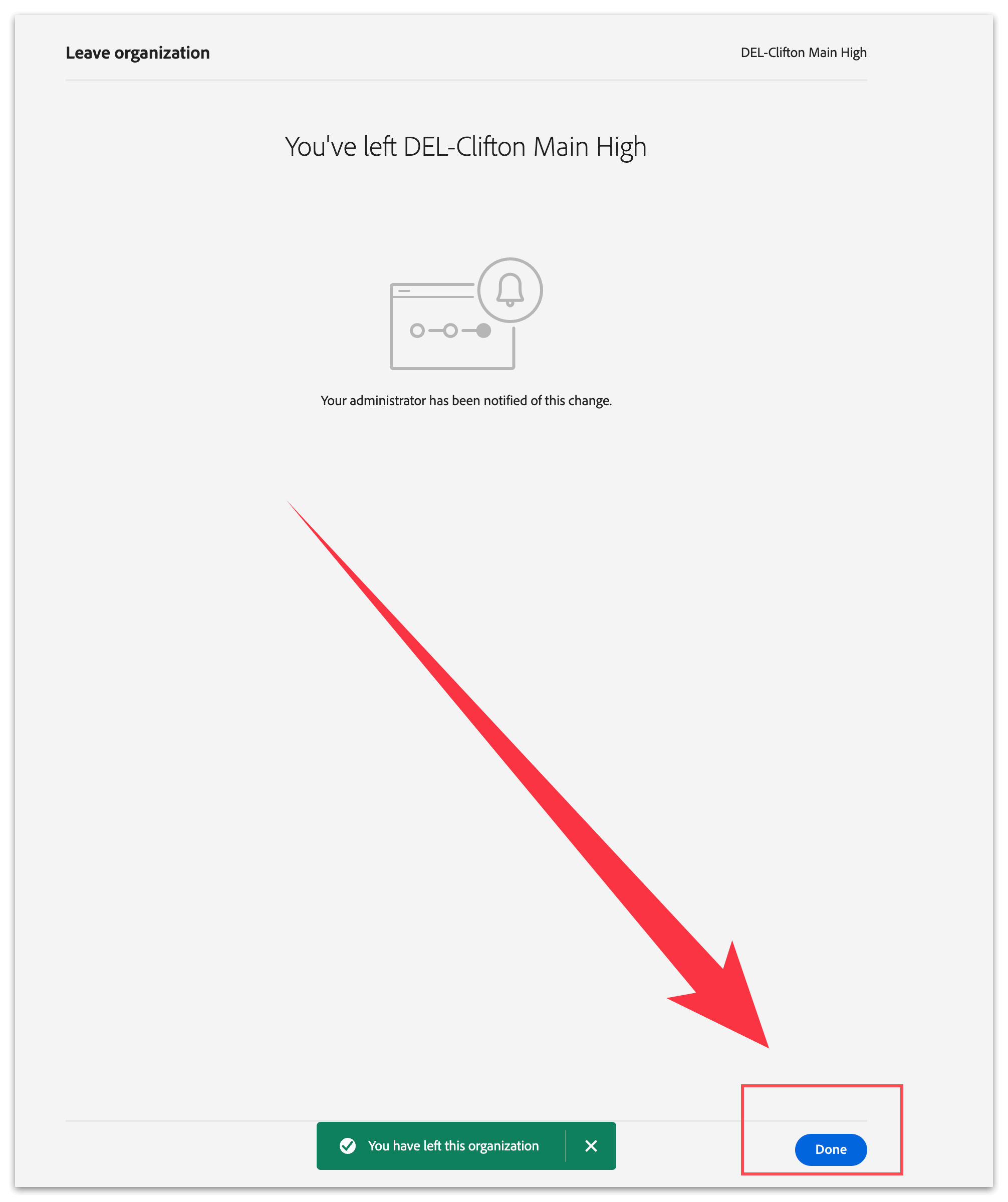
5. Click "Done" to complete the process.

If multiple organizations need to withdraw, you need to repeat the above steps several times.

2. Switch to "Personal Profile".

3. Scroll down slightly, locate "Account information and access" on the page, click "Leave organization" under Organization name to delete.
Note: Incase if you have any files in the profile, you must take backup. Once you have left the organization, you would lose all access to that organization.

4. Scroll to the bottom, check the box for "Yes, I want to leave this organization and lose access to any apps and data associated with it", then click "› Leave organization".

5. Click "Done" to complete the process.

If multiple organizations need to withdraw, you need to repeat the above steps several times.